Important configurations!!!
The following configurations are extremely important!!! The following configurations are extremely important!!! The following configurations are extremely important!!! The following configurations are extremely important!!!
Backend access address
This configuration determines the prefix for previewing sites, sections, content, and static resources when the website is previewed. Incorrect configurations can lead to abnormal preview pages, such as images not being displayed or pages lacking proper styling.
Configuration method: System parameters
In the backend system management -> Parameter settings menu, find the corresponding parameter names and make the necessary modifications.
- Parameter Name: BackendContext
- Default value:http://localhost/dev-api/
This parameter represents the backend address used by the frontend project’s proxy mechanism. Typically, the value taken is:http://${FRONTEND_ADDRESS}${VITE_APP_BASE_API}/
Taking the local development environment as an example:
Front-end access address = The address used for accessing the front-end project after it has been launched.
Code identifier, version number, numbers, and original intent should be retained. The value configured in VITE_APP_BASE_API = chestnut-ui-vue/.env.development.
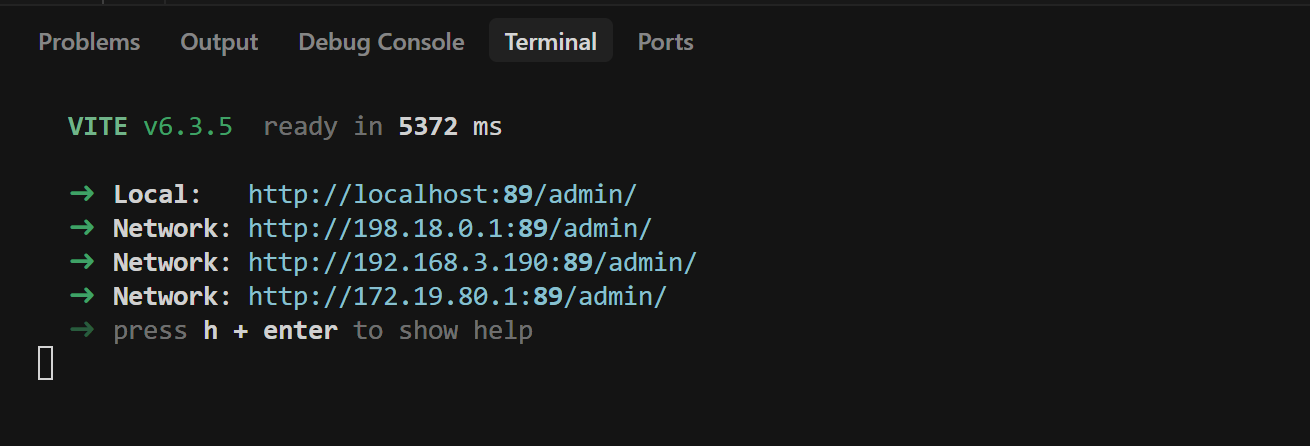
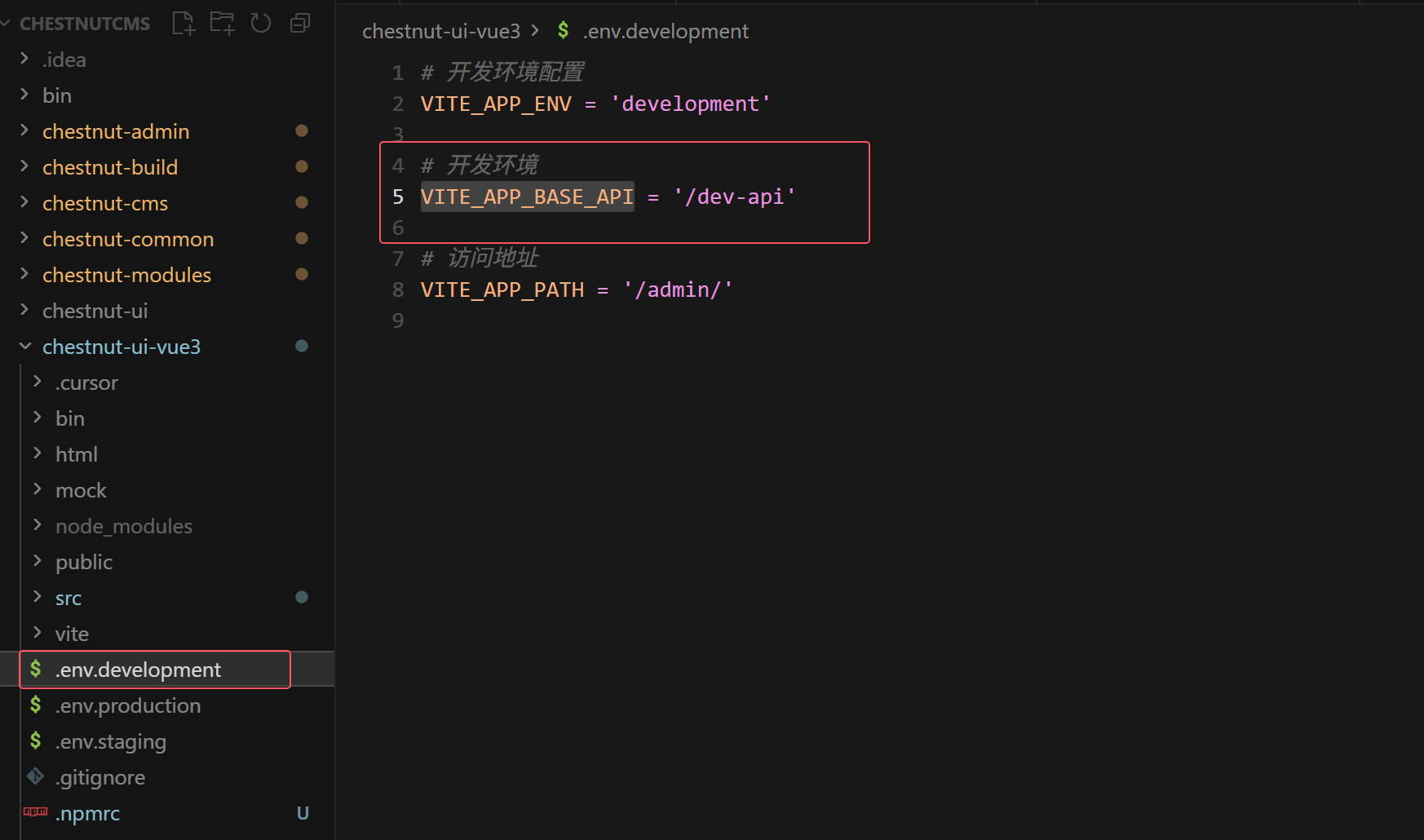
As shown in the figure above, BackendContext should be configured as follows:http://localhost:89/dev-api/
CMS Resource Root Directory
- The CMS resource root directory is used to store all relevant files for each site, including but not limited to template files, static resources, images uploaded by users, and other file resources.
- The theme for the corporate demonstration site can be downloaded via QQ Group Sharing. Join the QQ group to obtain the file.](https://www.1000mz.com/docs/qq)
- Directory structure: (Taking the demonstration site as an example, it should be noted that the demonstration site does not have a swikoon_h5 folder. This is just an example of the directory structure.)
wwwroot_rlease # CMS resource root directory
|--swikoon # Dynamic site resources, typically including user uploads
|----resources # Media library for IResourceType files: images, video, audio, and other files
|------image # Image assets
|------video # Video assets
|------audio # Audio assets
|------file # Other assets
|--swikoon_pc # Desktop publishing channel. Directory format: site_directory_channel_code
|----img # Site images
|----js # Site JavaScript
|----css # Site CSS
|----template # Site template directory
|------index.template.html # Template file
|--swikoon_h5 # Mobile publishing channel. Directory format: site_directory_channel_code
|----img # Site images
|----js # Site JavaScript
|----css # Site CSS
|----template # Site template directory
|------index.template.html # Template file
- Configuration method: ChestnutCMS/chestnut-admin/src/main/resources/application-*.yml
- Default value: The wwwroot_release directory at the same level as the current project.
Example:
chestnut:
  cms:
    resourceRoot: /home/app/wwwroot_release/
Configure the API address for the front-end website.
The configuration is mainly used to specify the domain name for accessing backend dynamic interfaces in the templates. For example, the custom form on the “Contact Us” page of the demo site: http://www.swikoon.com/contactus/390581258022981.shtml
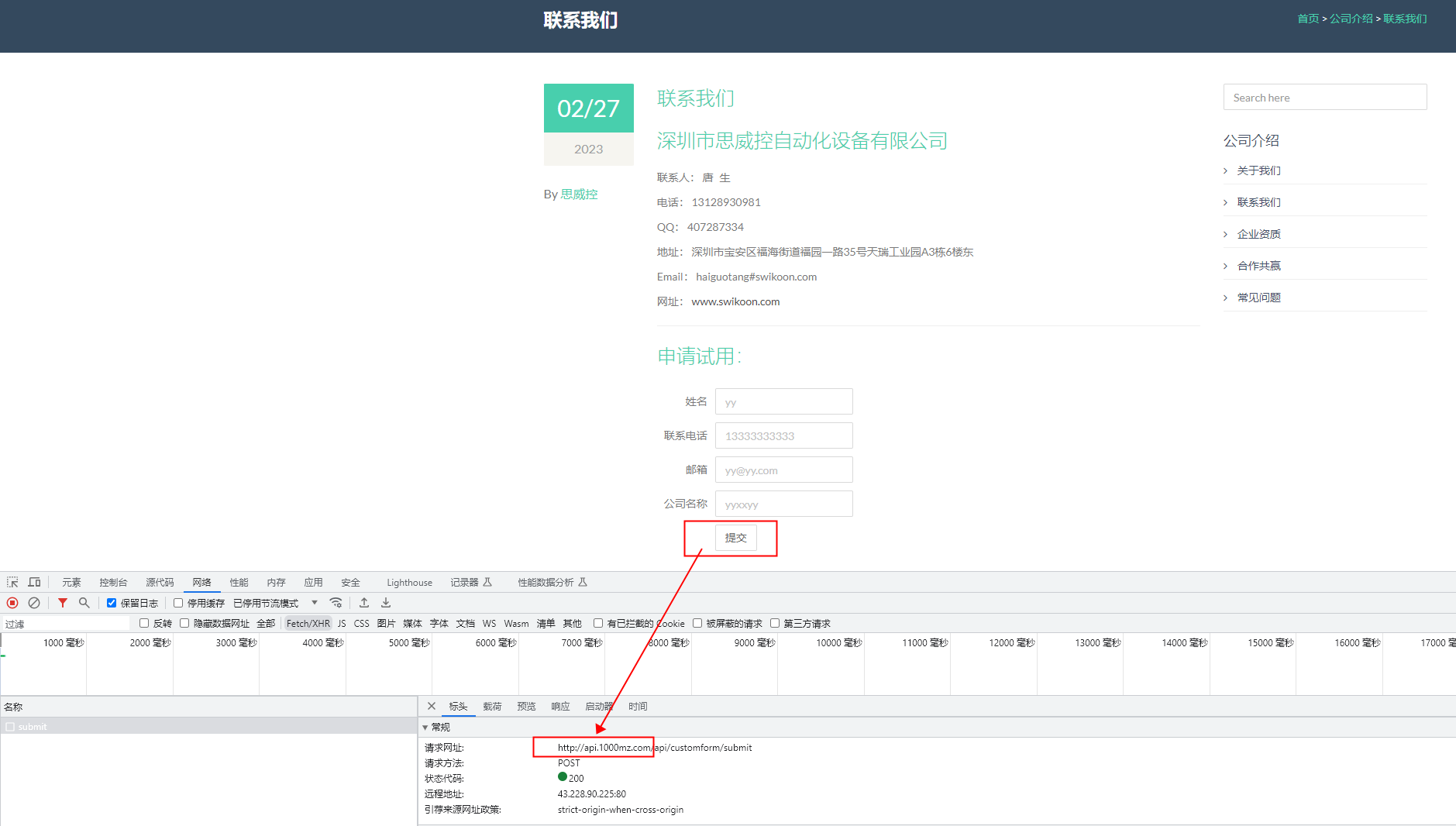
Configuration method: System parameters or site-specific configurations
In the backend menu list “System Management -> Parameter Settings”, find the corresponding parameter name.
SiteApiUrlPlease make the necessary modifications. The parameter settings represent the global default values. You can also configure this value for site-specific settings. It is recommended to use the values set for site-specific configurations over those set globally.
- Parameter Name: SiteApiUrl
- Default value:http://localhost:8080/
4. Domain names for accessing sites & resources of the site
Configuration method: Edit site information on the backend site management page.
- The domain name for accessing the site needs to be configured through the publishing channel. This domain name is used to point to the root directory of the site's publishing channel. Corresponding template parameters:
${Prefix}For example, the directory wwwroot_release/swikoon_pc on the demonstration station. - Resource access domain name. This domain name is used to resolve to the dynamic resource directory of the site. Corresponding template parameter:
${ResourcePrefix}For example, the directory wwwroot_release/swikoon on the demonstration station.
Please decide on the specific configuration based on your deployment environment.
