Quickstart
Video Tutorials
Deployment
Admin Guide
Template Reference
FAQ
Other Resources
Website Construction Process
Instructions for Content Type Manual
Workflow Usage Manual
Website Internationalization Solution
Insert an image gallery into the article text.
Extended model usage
Integrate Baidu Statistics
How to obtain dynamic views of content in templates
Instructions for using custom forms
Configure the system to switch content on and off at scheduled times.
OSS storage configuration
Image watermark configuration
Use dynamic templates
Global Template Variables
Template Directives (Tags)
Template Functions
User Guide
<@cms_advertisement>
<@cms_article>
<@cms_audio>
<@cms_book>
<@cms_book_chapter>
<@cms_catalog>
<@cms_comment>
<@cms_content>
<@cms_content_closest>
<@cms_content_rela>
<@cms_custom_form>
<@cms_favorite_content>
<@cms_file>
<@cms_image>
<@cms_include>
<@cms_link>
<@cms_link_group>
<@cms_member_follow>
<@cms_pagewidget>
<@cms_pagewidget_data>
<@cms_search_content>
<@cms_search_word>
<@cms_site>
<@cms_site_event>
<@cms_site_property>
<@cms_slot>
<@cms_stat>
<@cms_tag_word>
<@cms_tag_word_group>
<@cms_video>
<@cms_vote>
<@cms_vote_subject>
<@cms_xmodel_data>
<@cms_xmodel_field>
<@page_bar>
toJson()
displayFileSize()
accountUrl()
catalogUrl()
clearHtmlTag()
contentPageLink()
contentUrl()
customDynamicPageLink()
dateFormat()
dealArticleBody()
dict()
dynamicPageLink()
fileExtractor()
getDomain()
groupBy()
htmlInternalUrl()
htmlUnescape()
imageSize()
internalUrl()
listHtmlInternalUrl()
max()
min()
randomInt()
replaceHotWord()
replaceSensitiveWord()
siteUrl()
sysConfig()
urlParameters()
videoPlayer()
FAQ Navigation
The file upload size exceeds the allowed limit.
The demonstration mode does not allow operations.
[Templates] Template Variables `${xxx}` Conflicts with JS template syntax
[Template] Do not display the header and footer on the published page
Why is the link obtained in the template? `iurl://`
The category section does not exist.
[Template] Pagination Variables `${OtherPage}` It doesn’t exist.
Error in pagination markers for the template.
Error: Empty value in template reference variables 【Template】 Template reference variables have empty values
The backend interface does not correctly display international characters.
Do not use ElasticSearch, but an exception will be thrown during background initialization.
Failed to connect to Redis.
Various issues with garbled text
Failed to initialize the database using flyway. Please try again.
The video content cannot be saved.
Website images, audio, and video resources are not displayed.
The site is published without any styles.
The site preview has no styling.
The site preview template is not configured, or the template file does not exist.
Image watermark configuration
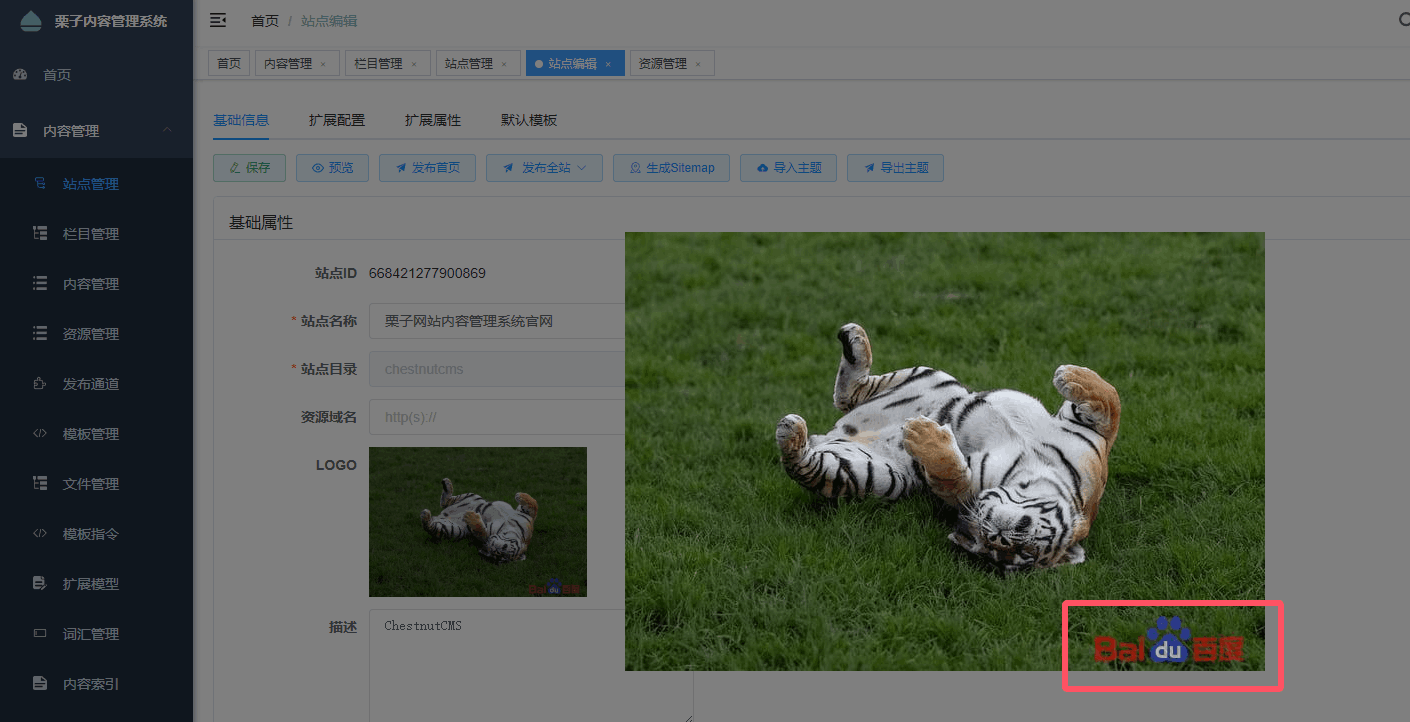
Image watermarks are configured based on site settings. The configuration process is as follows:
Open the editing page of the site, switch to the extended configuration tab, and find the image watermark configuration.
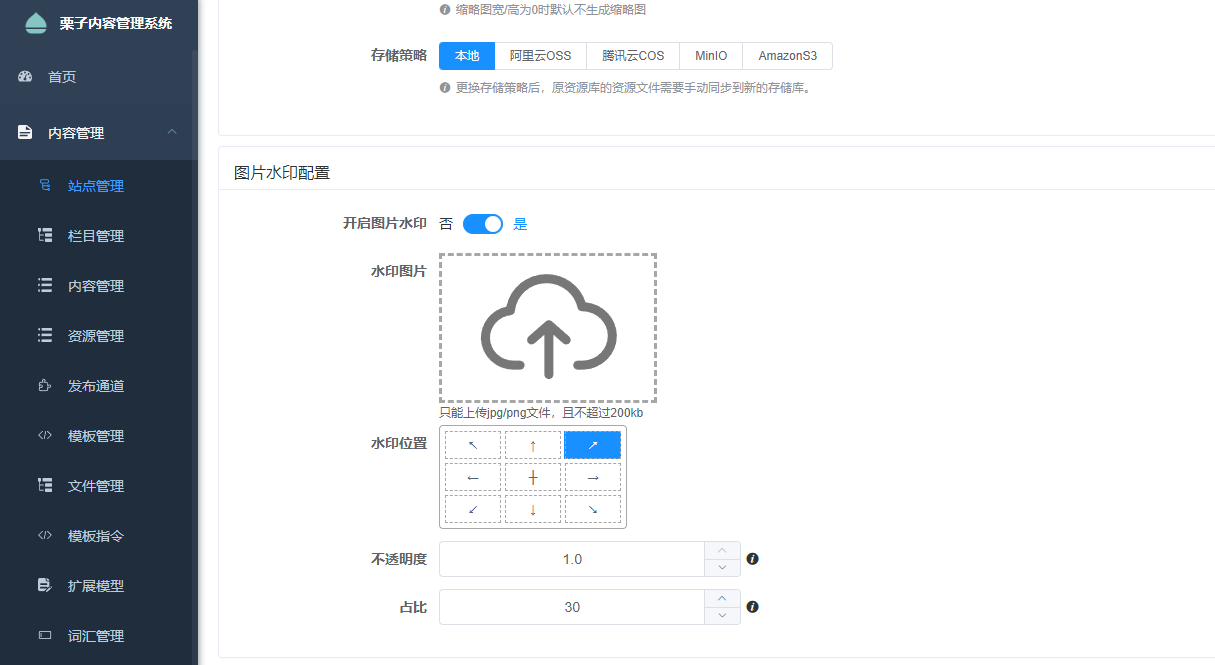
2. Enable the image watermark, and configure the watermark image as well as related parameters.
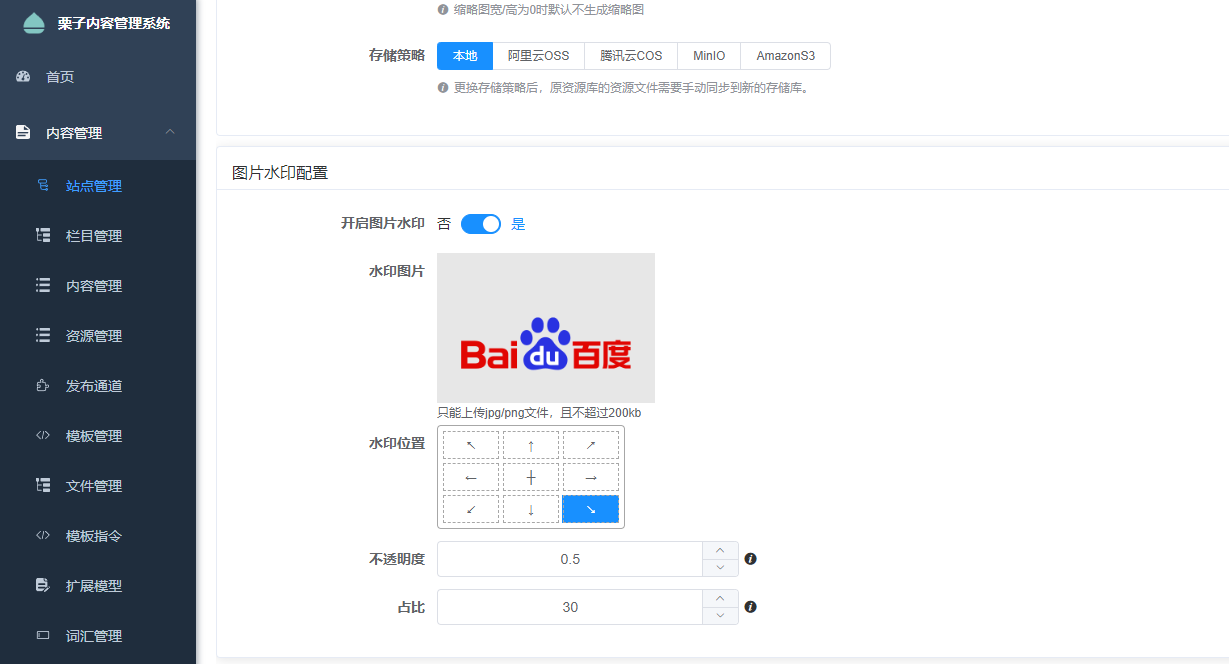
After enabling the watermark, all images uploaded for site resources will be marked with a watermark.