Configure the system to switch content on and off at scheduled times.
Scheduled publication/launch
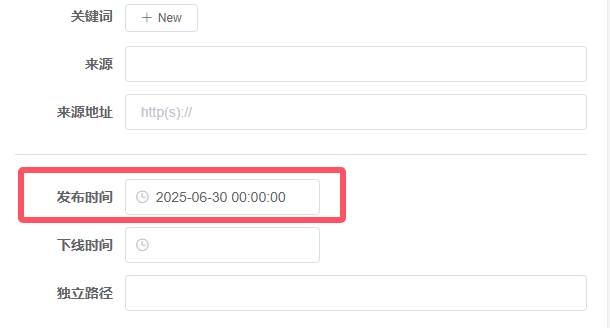
Set the publishing time
Open the content editing page and edit the publication time in the basic properties column on the right.
Set the content to be published status.
Save the content, then click Pending Publication Set the content toPending publicationStatus: Timed tasks only process content that is ready to be published.

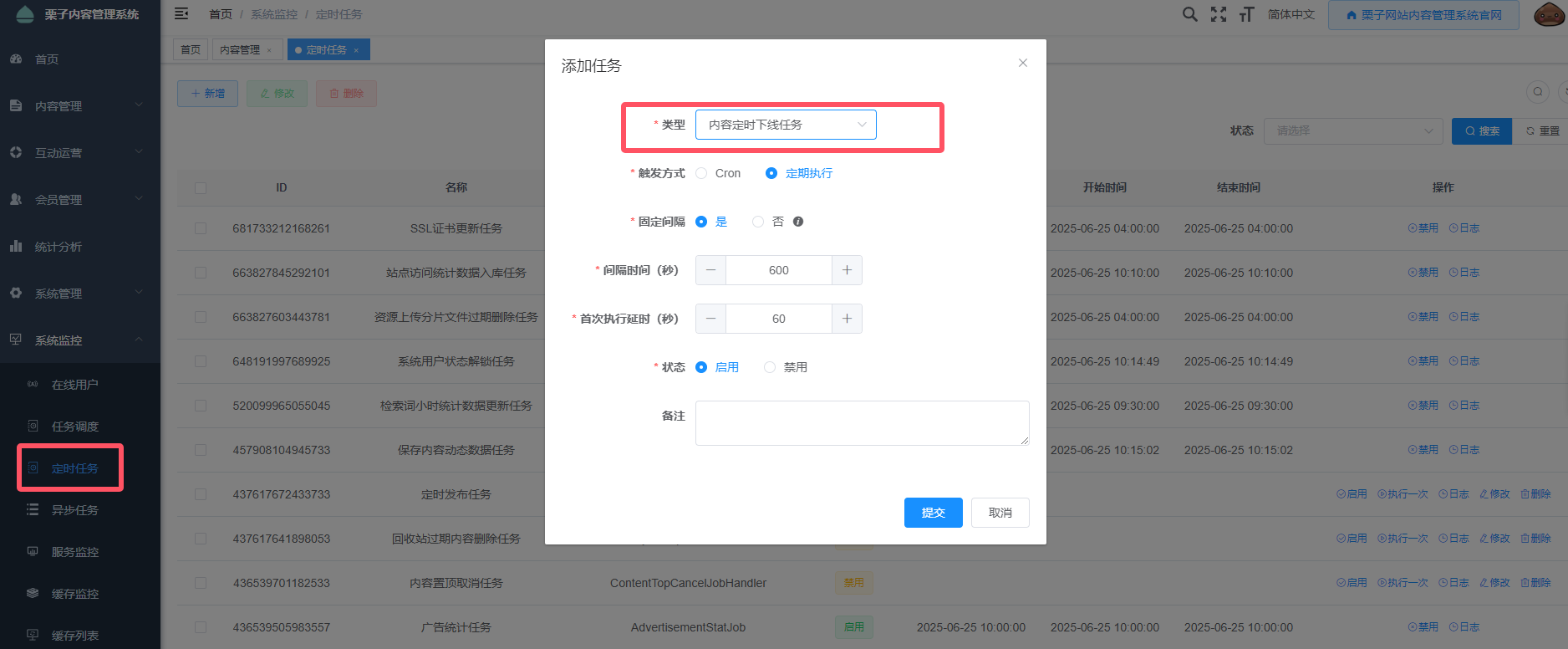
Enable scheduled publishing tasks
Open System Monitoring > Scheduled Tasks Add to the menu.Scheduled Content Publishing Set the task execution interval to occur every 10 minutes. This will ensure that scheduled tasks are executed regularly.Pending publicationFor content in the status state that has been set to a publication time, and this publication time is earlier than the current time, the publishing operation will be performed.
The retention of code identifiers, version numbers, digits, and original meanings is essential. The execution cycle determines the maximum delay for scheduled publishing tasks. If the task is executed every 10 minutes, it means that an article scheduled to be published at 1 o’clock will be published no later than 1:10.
Scheduled deactivation
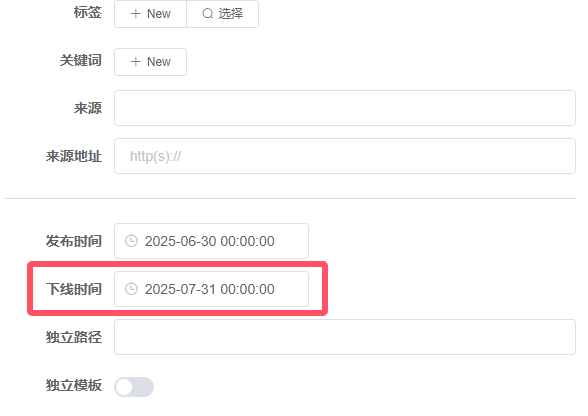
Set the decommissioning time for the website.
Open the content editing page and edit the offline time in the basic properties column on the right.
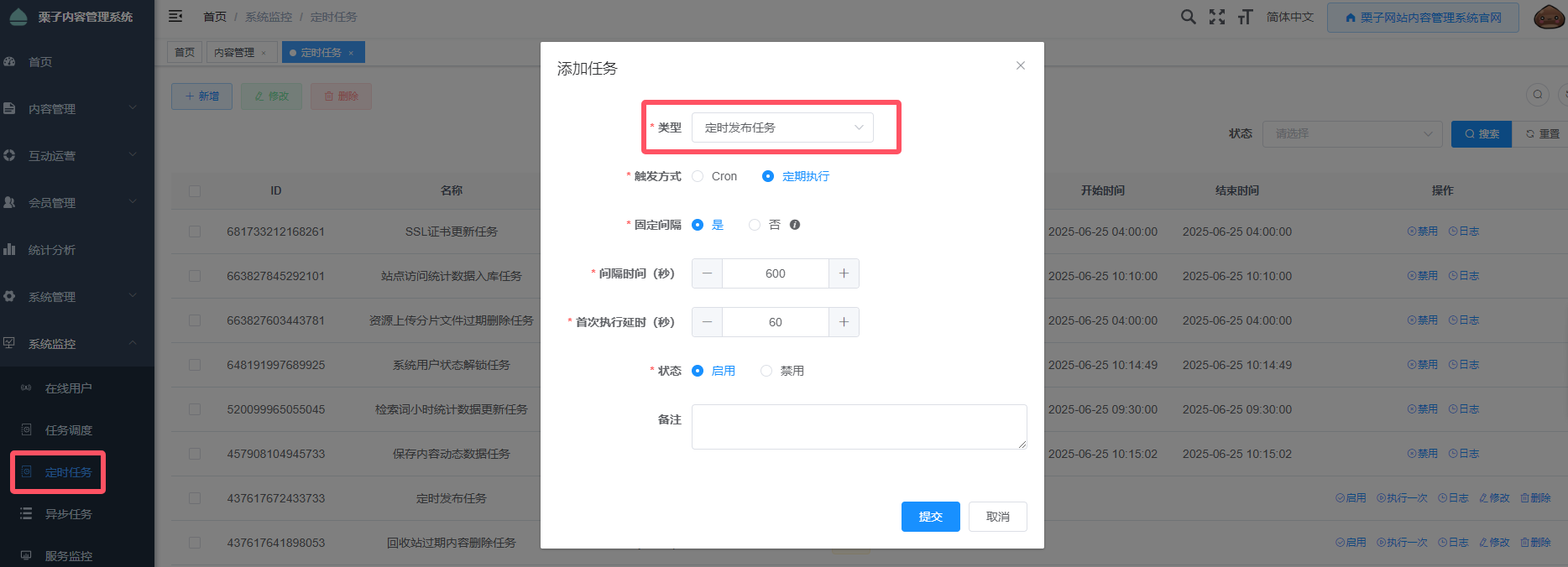
Enable scheduled deactivation tasks.
Open System Monitoring > Scheduled Tasks Add to the menu.Scheduled Content Unpublishing Set the task execution interval to occur every 10 minutes. This will ensure that scheduled tasks are executed regularly.PublishedFor content in a state where the offline time has been set, and this time is earlier than the current time, the offline operation will be performed.