Use dynamic templates
1. System-built dynamic templates
The built-in dynamic templates in the system provide support for various common dynamic pages. This includes, for example, search result pages (refer to the backend menu: Content Management -> Command Management -> System Dynamic Templates).
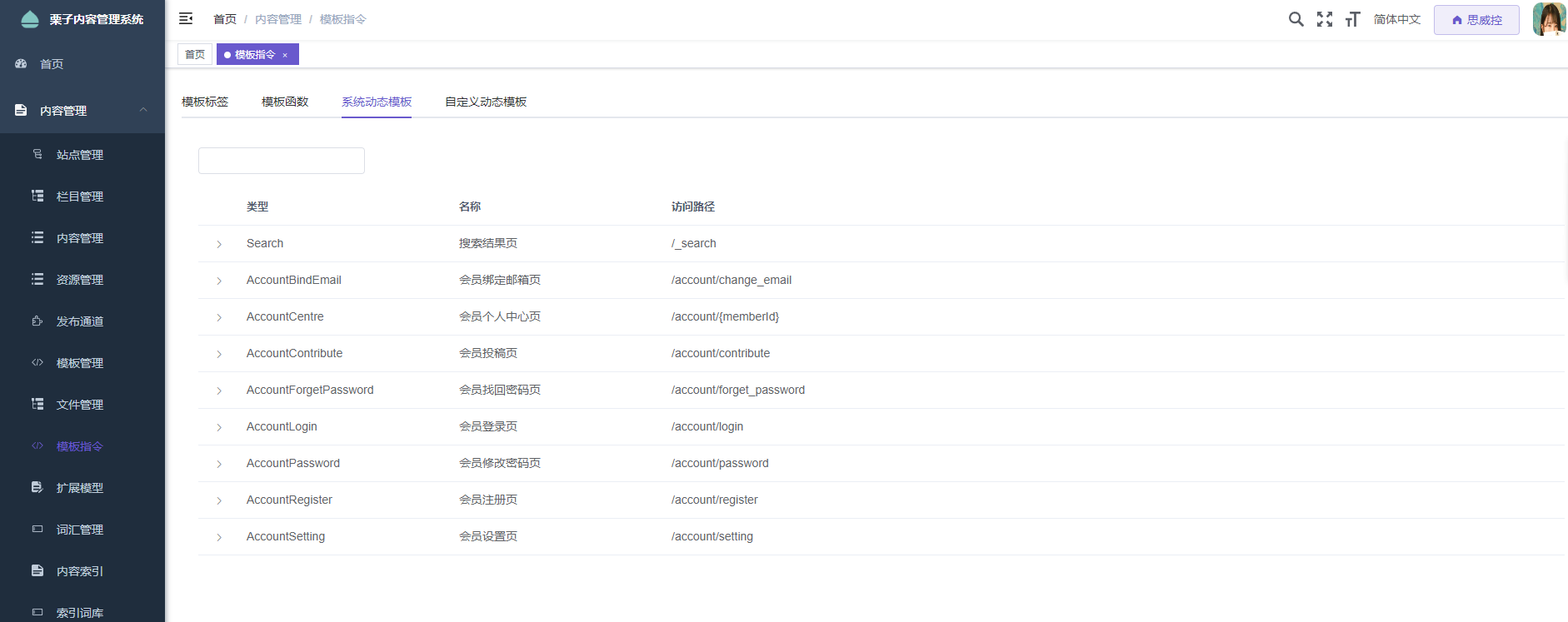
Set up templates
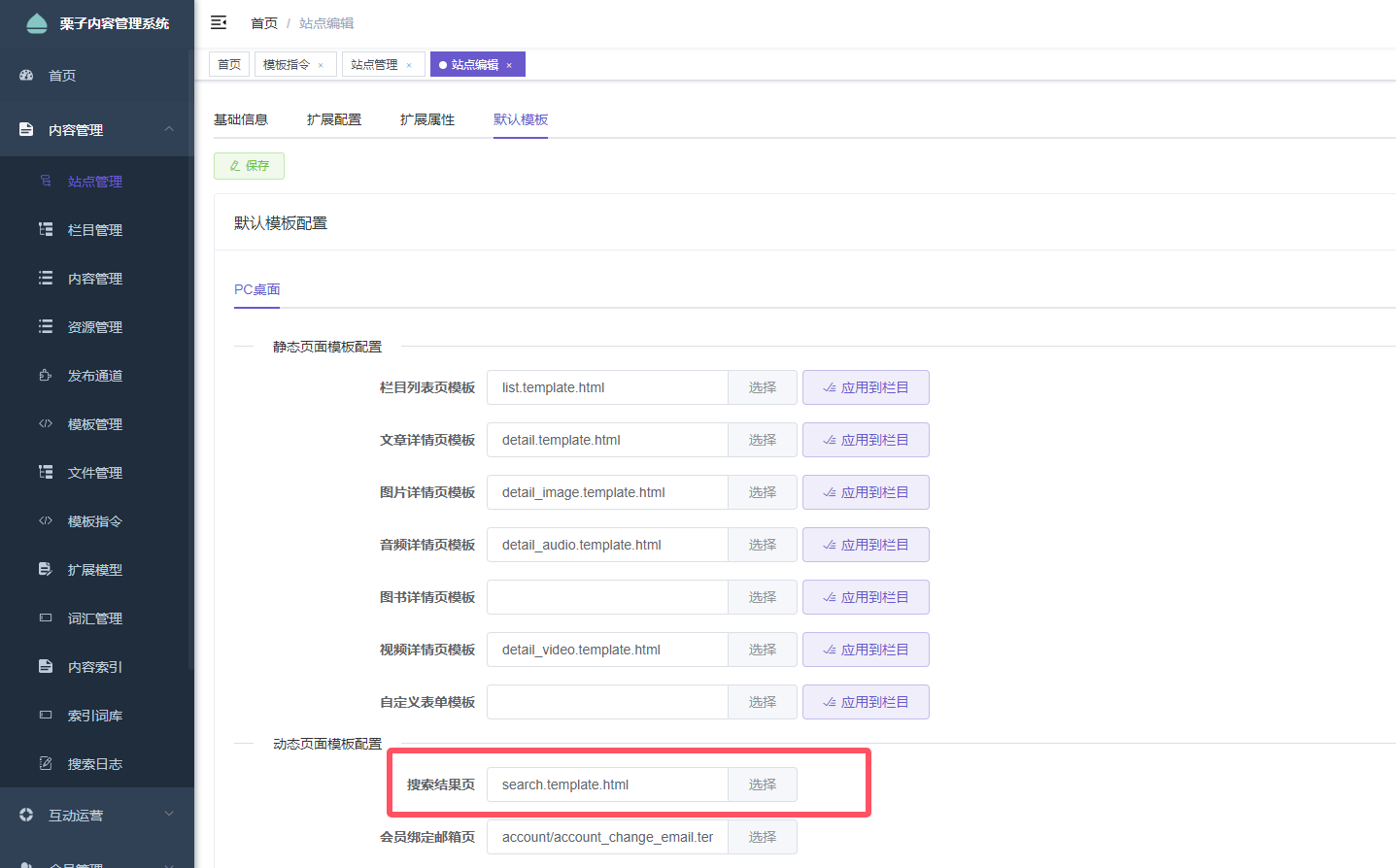
On the Site Information Editing Page, switch to the Template Configuration tab. Set up the search result page template as shown in the figure below:
2. Using template functions in templates customDynamicPageLink Obtain the access address of the dynamic template page
<a href="${Prefix}${customDynamicPageLink('Search')}">Search</a>
Custom dynamic templates
In addition to the several default dynamic template pages built into the system, it also supports the creation of custom dynamic template pages.
Create custom dynamic template pages
Enter the backend menu: Content Management -> Command Management, switch to Custom Dynamic Templates Tag page: New dynamic template configuration added. Taking the tag classification list page of the film demonstration site as an example, as shown in the following figure:
If the page requires pagination, check the data in the template initialization section.
Pagination ParametersIf you need to obtain the information of the member who is currently logged in, please check the corresponding box.Logged-in Member。
2. Using template functions in templates customDynamicPageLink Obtain the access address of the dynamic template page
<a href="${Prefix}${customDynamicPageLink('YOUR_DYNAMIC_TEMPLATE_CODE')}">Link</a>
Used for local development
${Prefix}The domain name of the site obtained requires a Nginx proxy for the dynamic template path to function properly. If Nginx is not configured, you can set the site's API address as the backend access address. For example:http://localhost/dev-api/Used in the template${IsPreview?then(ApiPrefix,Prefix)}Alternative${Prefix}。
Access configuration
Taking the nginx configuration as an example, it is common to configure the access paths for dynamic templates with a certain prefix, which makes it easier for nginx to match the regular expressions. For example, the access links for dynamic templates all start with:category/ Beginning. The nginx configuration is as follows:
location ^~ /category/ {
    ssi on;
    ssi_silent_errors on;

    proxy_pass http://localhost:8090/;
}
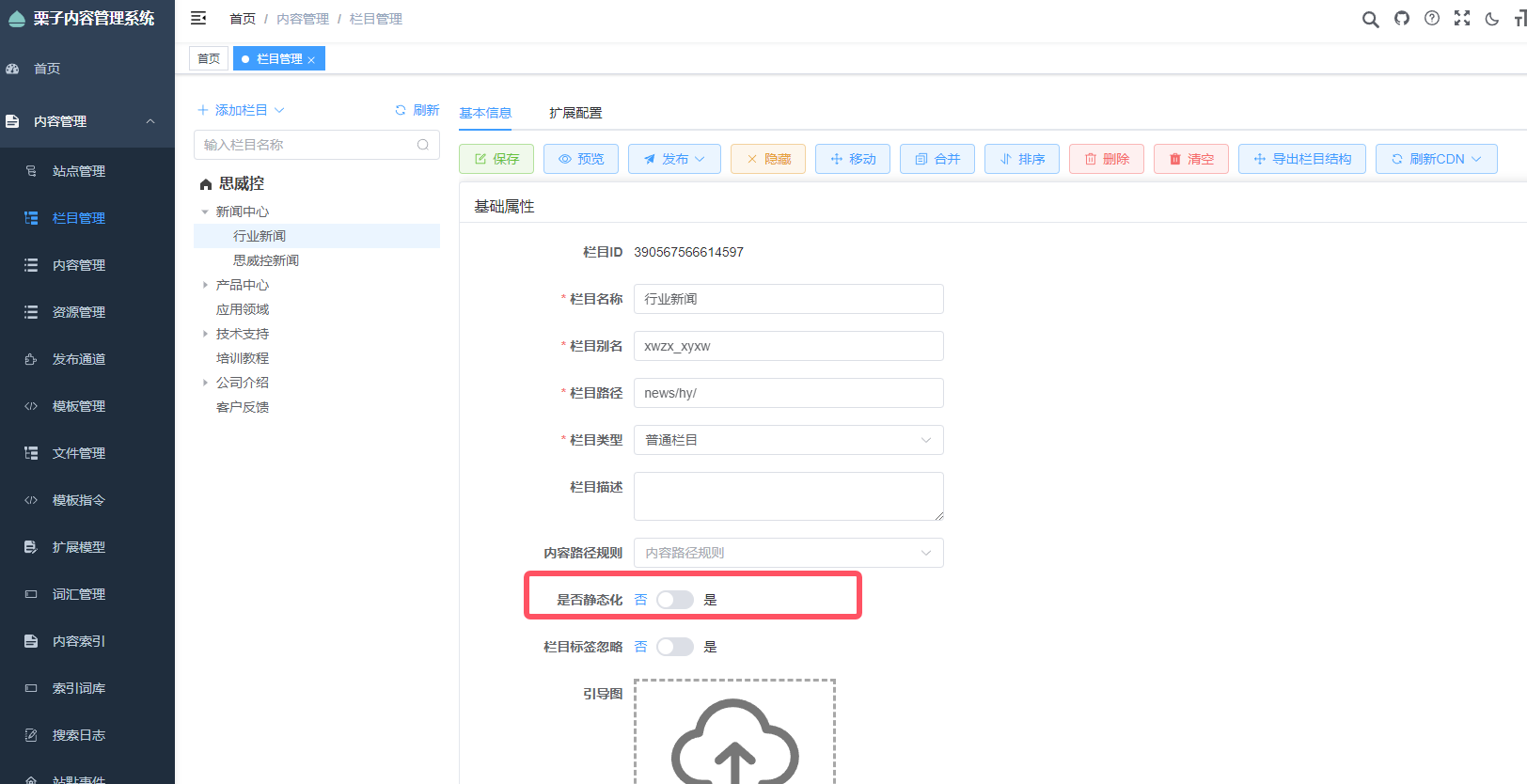
Disabling the static publishing of categories
Configure static publishing for the category editing page.
2. The nginx configuration has added dynamic access paths.
    location /cms/view/ {
        ssi on;
        ssi_silent_errors off;
        ssi_types text/shtml;

        proxy_buffers 32 8k;
        add_after_body "";
        proxy_cookie_path / /;
        proxy_pass http://127.0.0.1:8090;
    }
